
The option to export a data file for use with PayDashboard is available for all users. If you wish to export the data file to PayDashboard, you must ensure each employee has a unique Employee ID. Without this, the data will be rejected.
Creating the XML file within Moneysoft
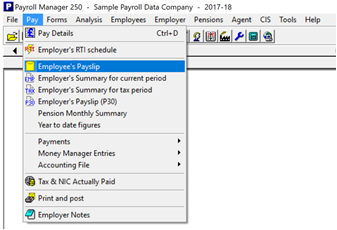
Within the Pay Menu select Employee’s Payslip
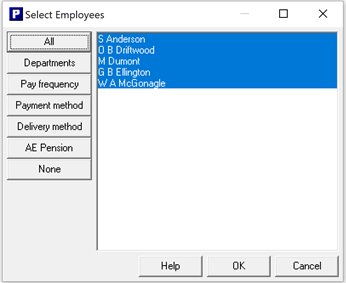
and then select the employees you wish to export and select OK.
The payslips will then display on screen.
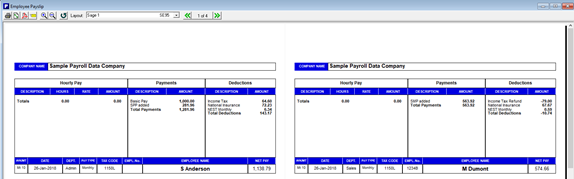
Using your keyboard Select CTRL + SHFT + D. A pop-up box will appear on screen, where you can enter a future date for when you would like payslips to be visible to employees and notifications delayed until this date.
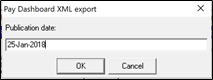
Select OK. You will then be asked to save the XML file ready for loading into PayDashboard. You should follow your company data security procedures when saving the file.
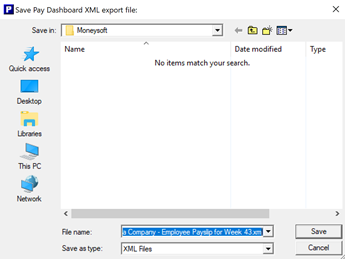
Select Save. Once saved you should now log into PayDashboard and follow the Upload Payslips process. Further Details can be found in Uploading Payslip Data article.