
Bright Pay Interface (BETA)
Please follow the below steps the export the required payslips within Brighpay to upload to PayDashboard.
1. Select Export Payslips:

2. Ensure Payslip setting is A5:
3. Select Options
To send data to Pay Dashboard, you need to have the Tax Week Number or Tax Month Number present on the payslip.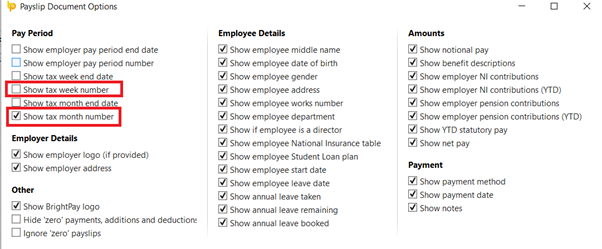

Once the payslips have been exported and saved to your device you are now ready to upload the payslips. Please see our Uploading Payslip Data article for the next steps.